Updating your deprecated Microsoft Teams Webhooks

What’s Happening?

Microsoft announced the retirement of their Office 365 Connectors within Microsoft Teams back in 2024. Instead they are moving towards Workflows app-based webhooks. This caused quite a stir for some Teams users as the migration to the Workflows webhooks lacked some key features, such as posting messages to shared or private channels or supporting the legacy but still widely used Message Card payload format.

Luckily Microsoft has responded to all the pushback, and as of February 2026 they’ve added support for the Message Card format and posting to shared channels, with support for private channels coming soon. The deprecation deadline has also been extended to April 30, 2026. Given that most of the kinks have been worked out, now’s the perfect time to migrate to the new Workflows webhooks. It’s also easier than the deprecation announcement article makes it seem.

Transitioning to Workflows Webhooks

First, create an incoming webhook workflow:

  1. Hover over the options ellipsis next to the channel you want to create the webhook for and select Workflows. Messages will be posted to this channel when the webhook is triggered.
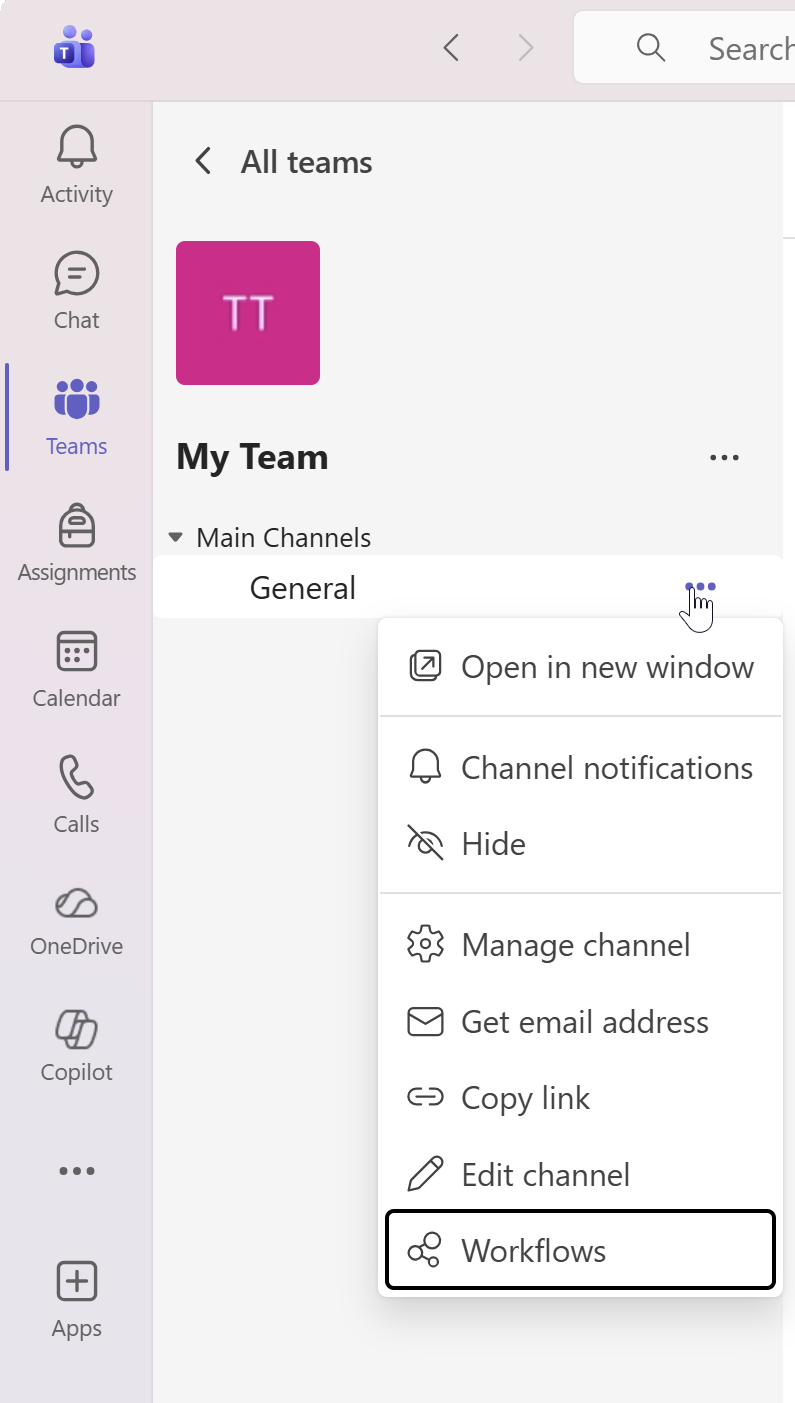
A Microsoft Teams side panel with a channel's dropdown settings open.
  1. Search “Send webhook alerts to a channel” and select that template.
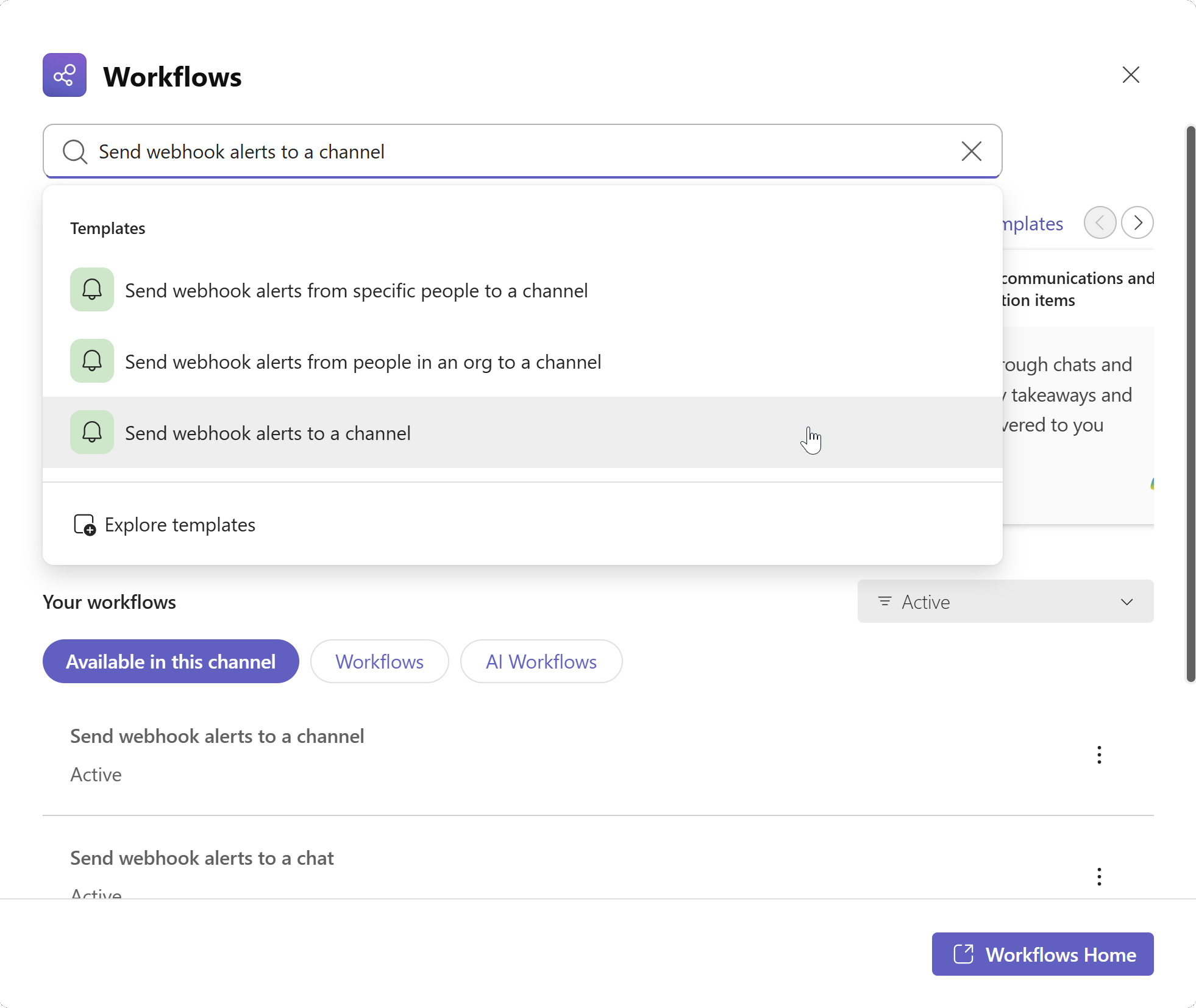
The Microsoft Teams Workflows settings page for a channel.
  1. Confirm the Team name and Channel name then click Save.
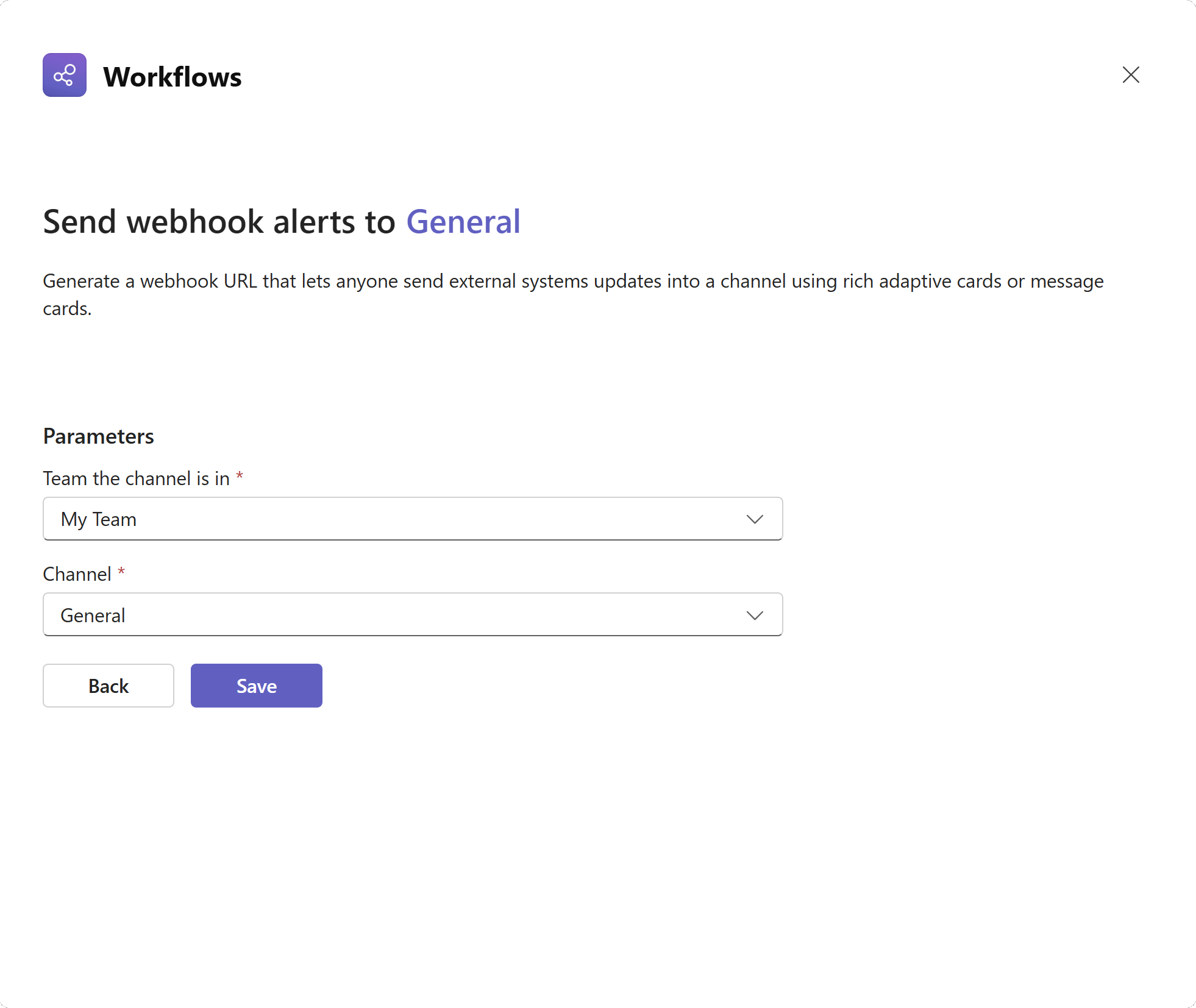
A Microsoft Teams webhook confirmation page.
  1. Click on Copy webhook link to copy the webhook URL.
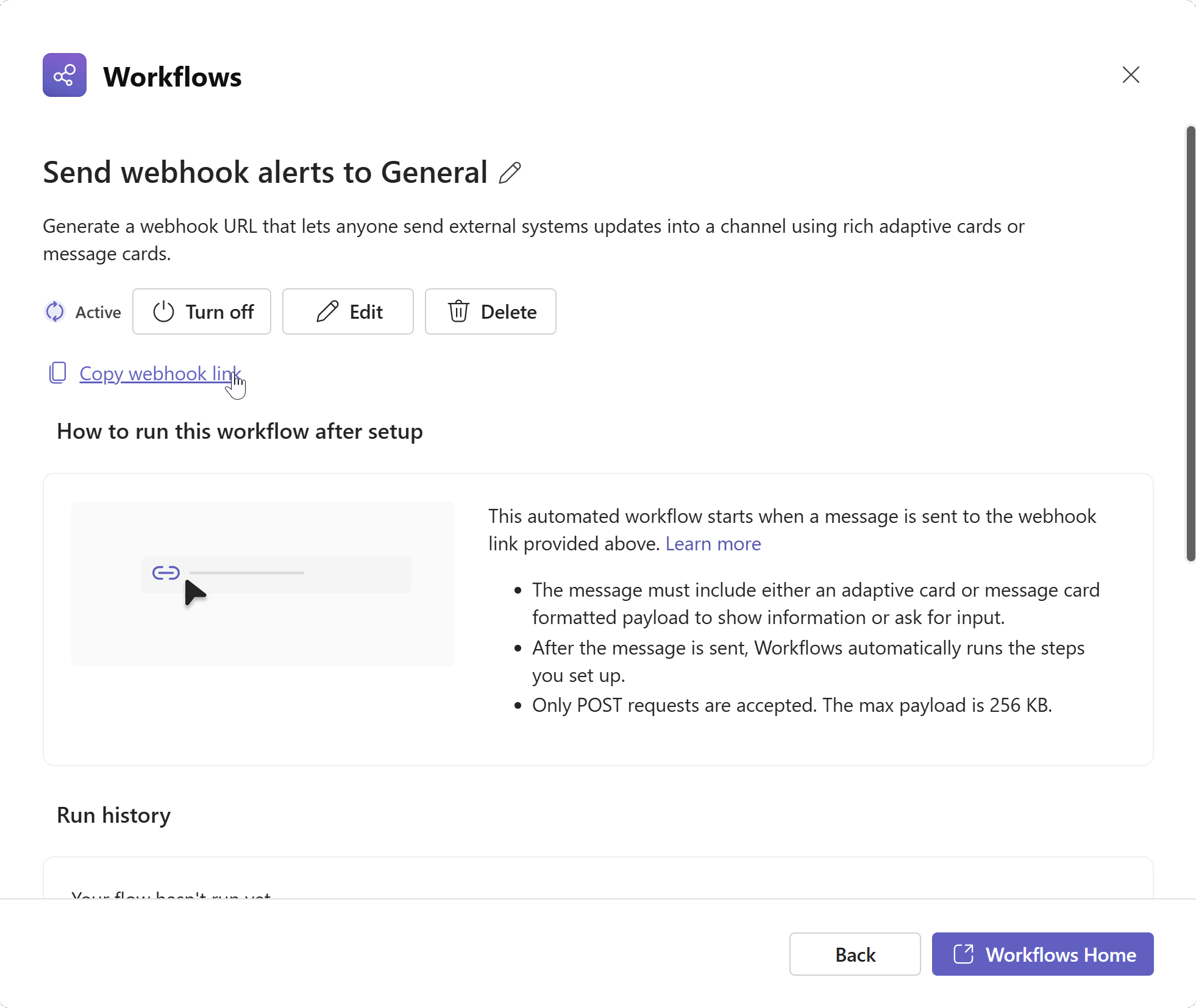
A Microsoft Teams webhook settings page with the "Copy webhook link" link selected.

Use this webhook URL to replace the existing Office 365 Connectors URL used by your tool. Since Microsoft now supports the legacy features mentioned above, the new webhook URLs should be a drop-in replacement for any of your tools.

Here at Review Board, our Microsoft Teams integration lets you automatically notify channels about code review updates and discussion activity. All you need to do to keep your integration running smoothly is update its webhook URL:

  1. Select your Microsoft Teams integration from the Integrations page in the Administration UI.
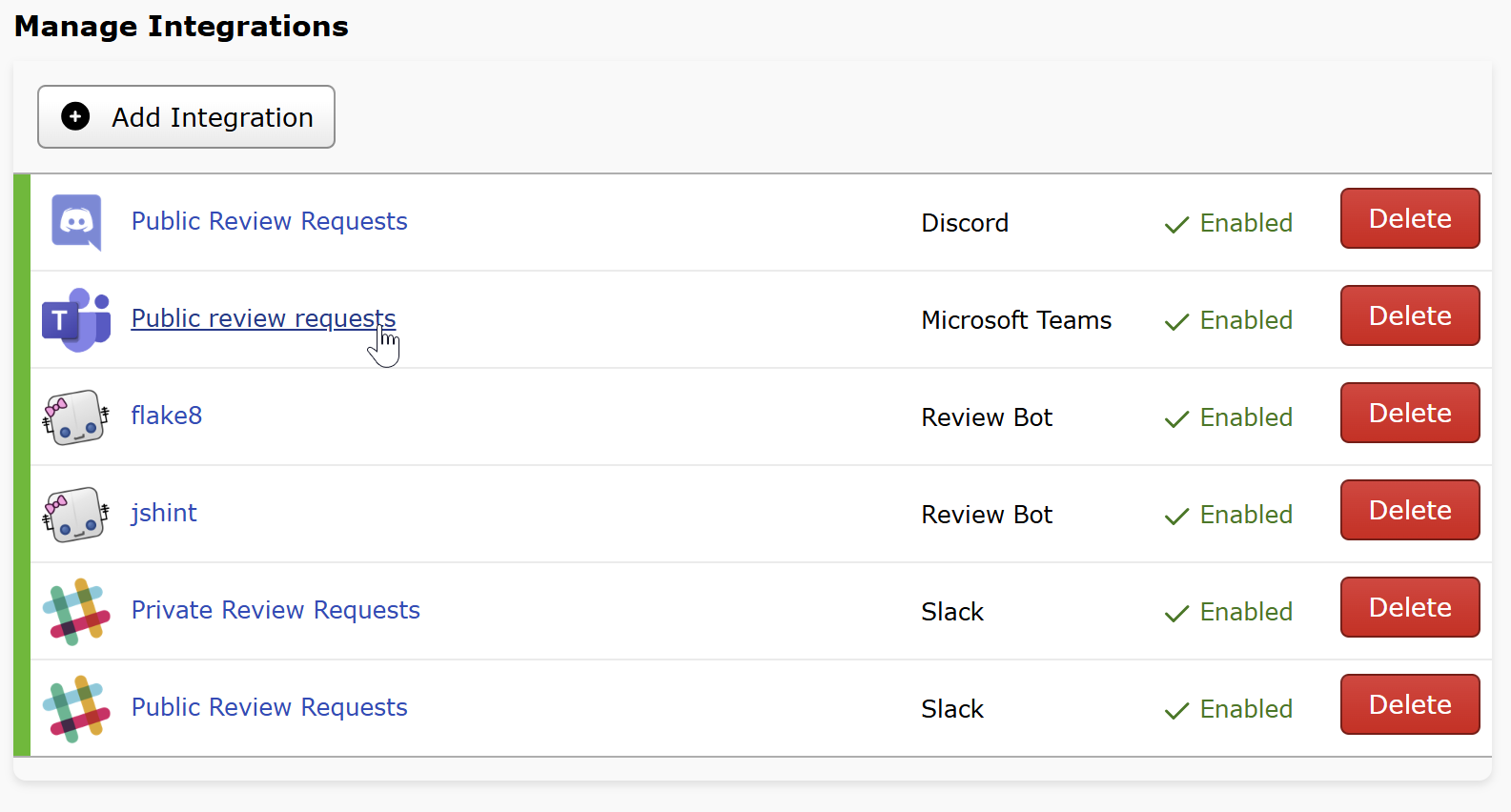
The Review Board integrations settings page with an MS teams integration selected.
  1. Paste your new webhook URL into the WebHook URL field and click Save.
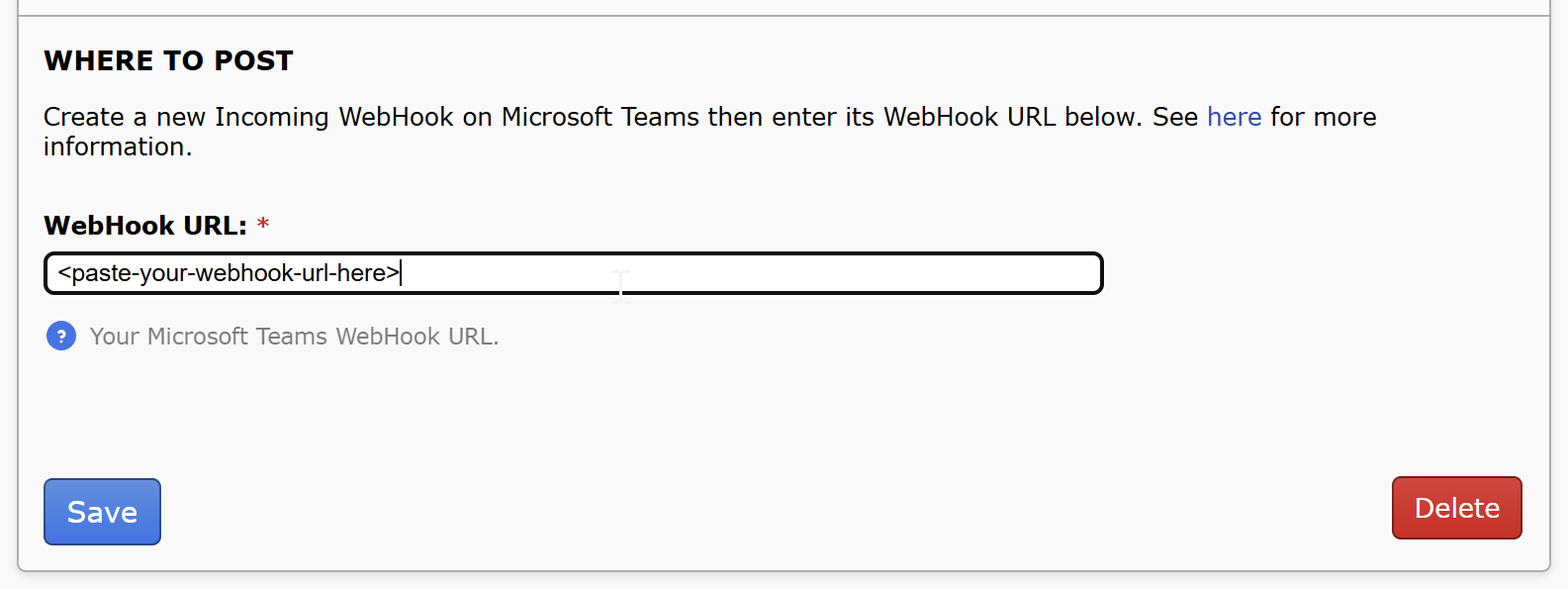
The WebHook URL field for an Integration's settings.

And that’s all that’s needed to keep receiving your code review Teams updates as Microsoft transitions to the new Worklows webhooks! Review Board will continue to support the legacy Microsoft 365 Connectors webhooks until the deprecation deadline.

Read More

Djblets 3.3: Typing, Symbols, AmountSelectorWidget

Djblets 3.3 introduces a new form field widget for unit-based number input and further enhances our support for Python type hints.

Typing Improvements

The following modules now support Python type hints:

A new djblets.util.typing module has been added with new useful types, including KwargsDict, StrOrPromise, JSONValue, JSONDict, and JSONList.

Utility Symbols

A new djblets.util.symbols module has been added with utility symbols that can be used in APIs.

Right now, this includes UNSET, which can be used as a default result or value in many APIs instead of using None. More will be added in time.

AmountSelectorWidget

The new AmountSelectorWidget can be used in form fields to let users input a number and select a unit (such as bytes, kilobytes, or megabytes).

See the release notes for more details on Djblets 3.3.

Installation

$ pip3 install Djblets==3.3

Learn More

Djblets 3.3 release notes
Documentation
PyPI

Read More

beanbag-docutils 2.0: Python 3.11, New Sphinx Autodoc Features

beanbag-docutils is a set of extensions to the Sphinx ReStructuredText-based documentation system used by our products to help generate better documentation. Amongst other enhancements, it provides:

  • A parser for the Beanbag docstring format, a variation on the Google docstring format, which we use for Python and JavaScript documentation
  • Enhancements for Sphinx’s intersphinx system to provide per-page intersphinx resolution options (useful for pages, such as release notes, that need to link to different versions of the same docs, such as Django or Python)
  • Enhancements to ReStructuredText references to let a reference name span lines (useful for long Python/JavaScript module/class names)
  • Linking code references to GitHub documentation
  • High-DPI image embedding
  • A role for HTTP status codes

Today’s release of beanbag-docutils 2.0 features:

  • Python 3.11 support, and the removal of Python 2.7
  • Improved Sphinx configuration defaults when using autodoc_utils.
  • New autodoc sections for documenting attribute/property types (Type:), dictionary keys (Keys:), and tuples (Tuple:)
  • Fixes for lists within version sections (Version Added:, Version Changed:, and Deprecated:)
  • Fixes and improvements for linking to code on GitHub

See the release notes for the full list of changes.

Read More